×
Shout across the warehouse.
Loud, inefficient, and easy to miss.
Live message screens for your workplace
Control a TV, tablet or monitor remotely from your browser. Send short, highly visible instructions in real time — no app, hardware or signage software required.
Takes about 20 seconds · No account required
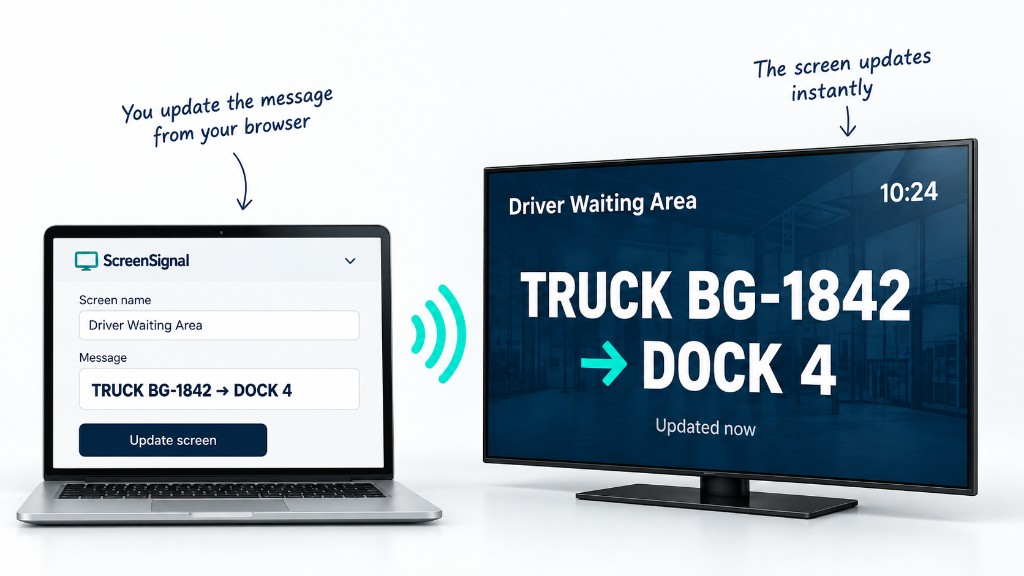
Manager changes message screen updates instantly
When information changes repeatedly throughout the day, a screen can become the simplest communication channel in the building.
Loud, inefficient, and easy to miss.
Interrupts people and wastes time.
Takes time and pulls you away from more important work.
Often seen too late or not at all.
Fast. Clear. Everyone sees it.
Built for changing instructions
The same clear solution works anywhere a short instruction needs to be seen now.
Warehouse
TRUCK 184
DOCK 7
Call drivers, assign docks, and update waiting areas without radios or phone calls.
Workshop
VEHICLE 32
BAY 4
Call customers, vehicles, or technicians from a reception desk.
Clinic
PATIENT A17
ROOM 3
Send call-forward instructions without installing a queue-management system.
Events / backstage
SPEAKER 3
STAGE IN 5 MIN
Keep green rooms, backstage areas, and staff informed as plans change.
Get your first screen up and running in three simple steps.
Give it a name if you want.
On any TV, tablet, monitor or browser.
Open on any device
Change the message from your phone or computer. The screen updates instantly.
No app installation. No signage player. No signage software. No account required.
Simple by design
screensignal.me
ScreenSignal is built for changing instructions, not content campaigns.
Type the message, send it, and the screen changes immediately.
Designed to get noticed
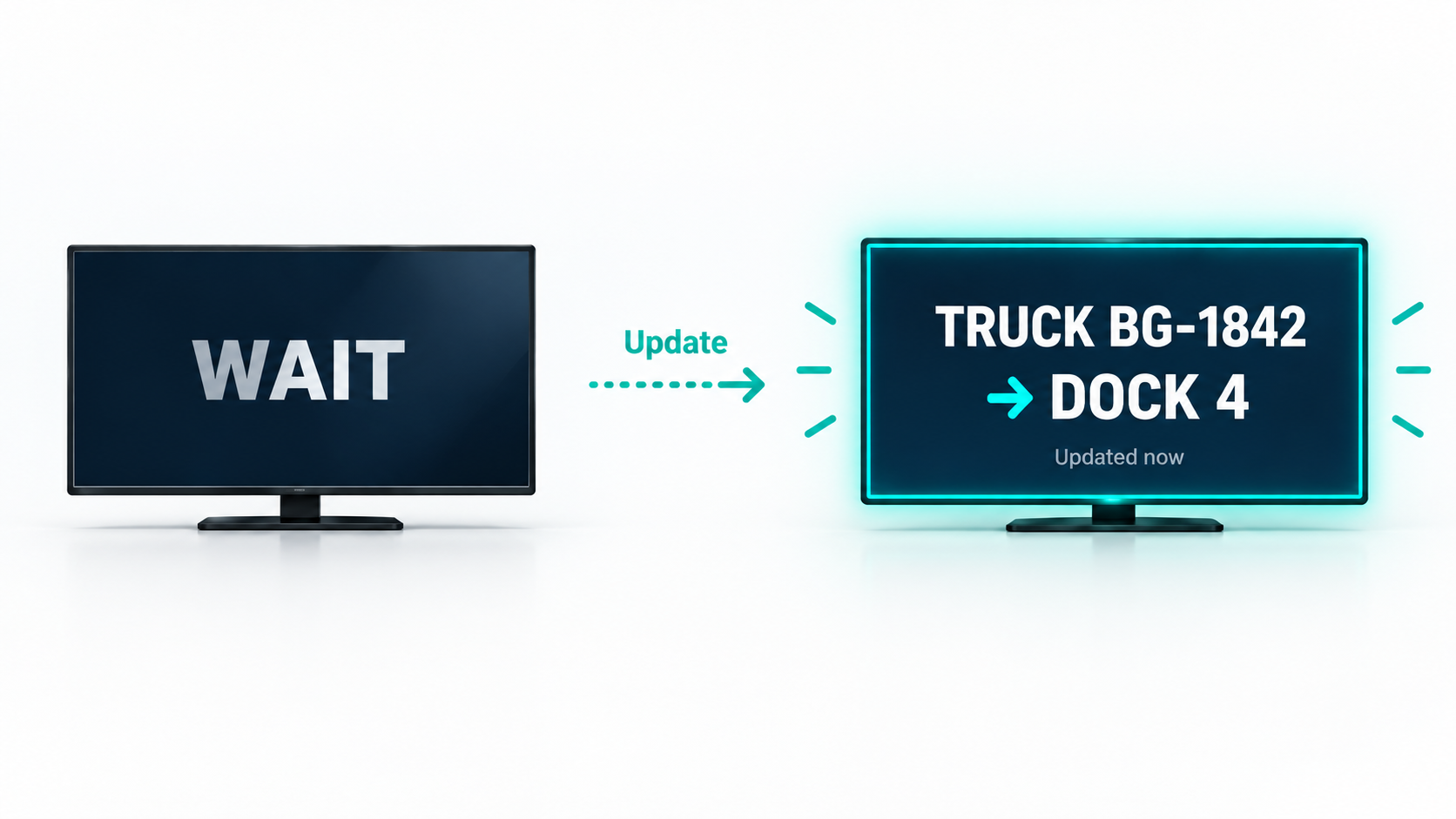
A static screen is easy to ignore. ScreenSignal can visually signal when new information arrives, so people don’t keep acting on an old instruction.
Built for growing teams
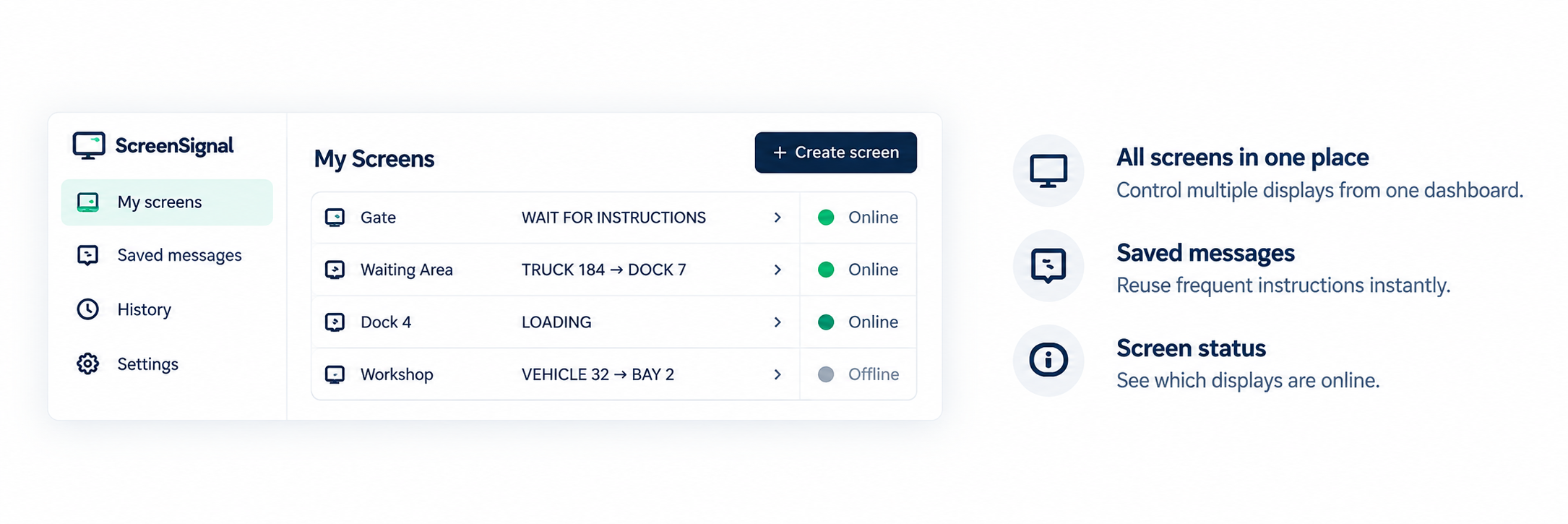
Start with a simple screen. When ScreenSignal becomes part of your daily operation, manage all your communication points from one place.
Create a screen immediately and start using it.
Keep your screens, messages and history.
Manage multiple screens and work together.
Have a spare screen?
No registration required